


Cart is empty
Save 56%
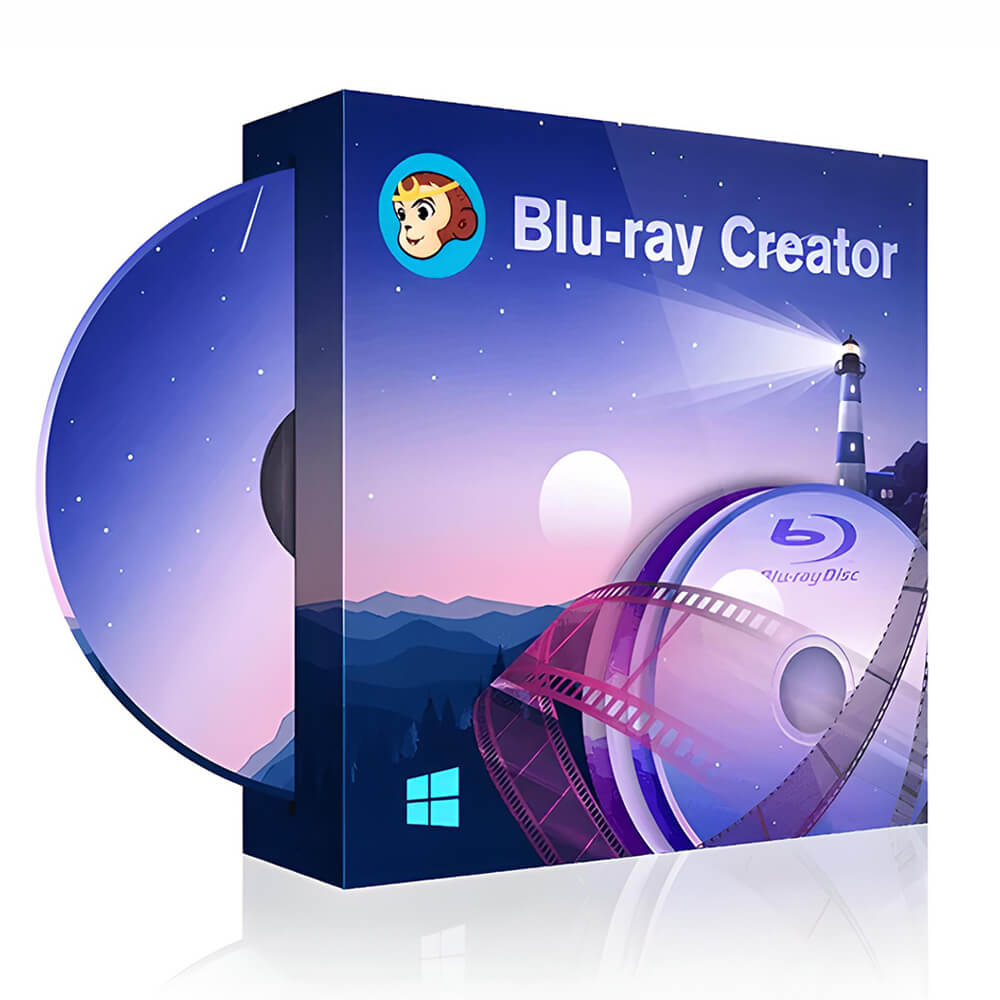
Hover on image to enlarge

DVDFab Blu-ray Creator

Delivery via email
Technical Support
 Free
Free
Free
Activation Key
 Authentic Code
Authentic Code
Download
 Download Link
Download Link
Available Languages
 Multilingual
Multilingual
Platform(s)

Available validities
 2 years
2 years
Country Zone(s)
 Worldwide
Worldwide
Version
 Full Version
Full Version
The Benefits of Buying DVDFab Blu-ray Creator from us
Guaranteed Authenticity
All our softwares are 100% authentic, directly from official manufacturers.
Warranty
Enjoy peace of mind with our during the product's validity warranty, far beyond the standard 30 days.
Free Installation
Enjoy a free installation service for a hassle-free setup.
24/7 Customer Support
Our dedicated team is available anytime to assist you.
Best Prices
Get the best prices: CAD55.99 instead of CAD125.99 and save! CAD70!
Description
DVDFab Blu-ray Creator - Overview
DVDFab Blu-ray Creator is a powerful software for creating Blu-ray discs from your videos, regardless of their original format. With its advanced features, it ensures smooth playback on all standalone Blu-ray players or gaming consoles, offering an exceptional home viewing experience.
- Compatible with over 200 video formats, such as AVI, MP4, MKV, MOV, FLV, etc.
- Burn videos from various devices, such as camcorders, smartphones, and SD cards.
- Create memorable Blu-rays to immortalize special events like birthdays or weddings.
- Burn to blank Blu-ray discs or save as ISO files or Blu-ray folders.
Benefits of DVDFab Blu-ray Creator
Flexibility in Creation:
With DVDFab Blu-ray Creator, you have complete freedom to create Blu-rays from videos in various formats and on multiple media. Whether you want to burn movies to a Blu-ray disc or save files for later viewing, this software adapts to your needs.
High Definition Video and Audio Quality:
Enjoy an unparalleled viewing experience with HD video quality (1080p, 720p) and high-quality audio formats (DTS-HD, TrueHD, Atmos). This ensures a cinema-like experience right at home.
Customizable Menus:
Personalize your Blu-rays with dynamic and stylish menu templates, available in a regularly updated library. You can adjust backgrounds, fonts, and buttons to create a menu perfectly suited to your preferences.
GPU Acceleration for Faster Speed:
With the latest GPU acceleration technologies, DVDFab Blu-ray Creator ensures conversion speeds 20 times faster, allowing you to burn multiple videos simultaneously while optimizing their playback order.
DVDFab Blu-ray Creator Features
- Compatible with over 200 video formats: Burn your favorite videos from AVI, MP4, MKV files, and more.
- Flexible burning or saving: Choose to burn your videos to a Blu-ray disc or save them as ISO files or folders for easy storage.
- Exceptional video and audio quality: Enjoy high definition (1080p and 720p) with high-fidelity audio tracks.
- Customizable menu templates: Personalize every detail of your Blu-ray menus with intuitive model options.
- Supports various Blu-ray formats: Compatible with BD-50, BD-25, and AVCHD (BD-5 and BD-9).
System Requirements
- Operating System: Windows 11/10/8.1/8/7 (32/64-bit)
- Processor: Pentium II 500 MHz or higher
- RAM: Minimum 2 GB
- Disk Space: 100 GB available or more
- Blu-ray Drive: Required
- Internet Connection: Required for software registration
Frequently Asked Questions
-
How do I create a Blu-ray?
To create a Blu-ray, you need software capable of burning various video formats onto a Blu-ray disc, folder, or ISO file. DVDFab Blu-ray Creator can convert over 200 video formats to easily create Blu-rays.
-
What is the best Blu-ray creation software?
The best software should be versatile and meet the evolving needs of users. DVDFab Blu-ray Creator is an excellent choice, compatible with Windows and Mac, offering extensive menu customization options.
-
How to burn videos onto Blu-ray?
DVDFab Blu-ray Creator allows you to burn videos from various sources, such as iPhones or YouTube, directly to a Blu-ray disc, folder, or ISO file.
-
How to burn MKV to Blu-ray?
MKV and Blu-ray are both high-quality formats. With DVDFab Blu-ray Creator, you can easily burn MKV videos to Blu-ray.
-
How to purchase the product?
You can purchase DVDFab Blu-ray Creator directly from our official website, digitalproductkey.com. A trial version is available to test all the features before purchasing.
DVDFab Product Comparison Chart
| Feature/Edition |
|
|
|
|
|---|---|---|---|---|
| Compression Support | ✔ | ✔ | ✔ | ✔ |
| Multi-language Support | ✔ | ✔ | ✔ | ✔ |
| Support for 4K UHD | ✔ | ✔ | ❌ | ❌ |
| Burn Blu-ray Discs | ✔ | ❌ | ✔ | ❌ |
| Copy Blu-ray Discs | ✔ | ❌ | ❌ | ❌ |
| Rip Blu-ray to Digital Formats | ❌ | ✔ | ❌ | ❌ |
| Convert Videos to Blu-ray | ❌ | ❌ | ✔ | ❌ |
| Convert Blu-ray to DVD | ❌ | ❌ | ❌ | ✔ |
|
CAD83.99
See more
|
CAD124.99
See more
|
CAD55.99
See more
|
CAD90.99
See more
|



