


Cart is empty
Hover on image to enlarge

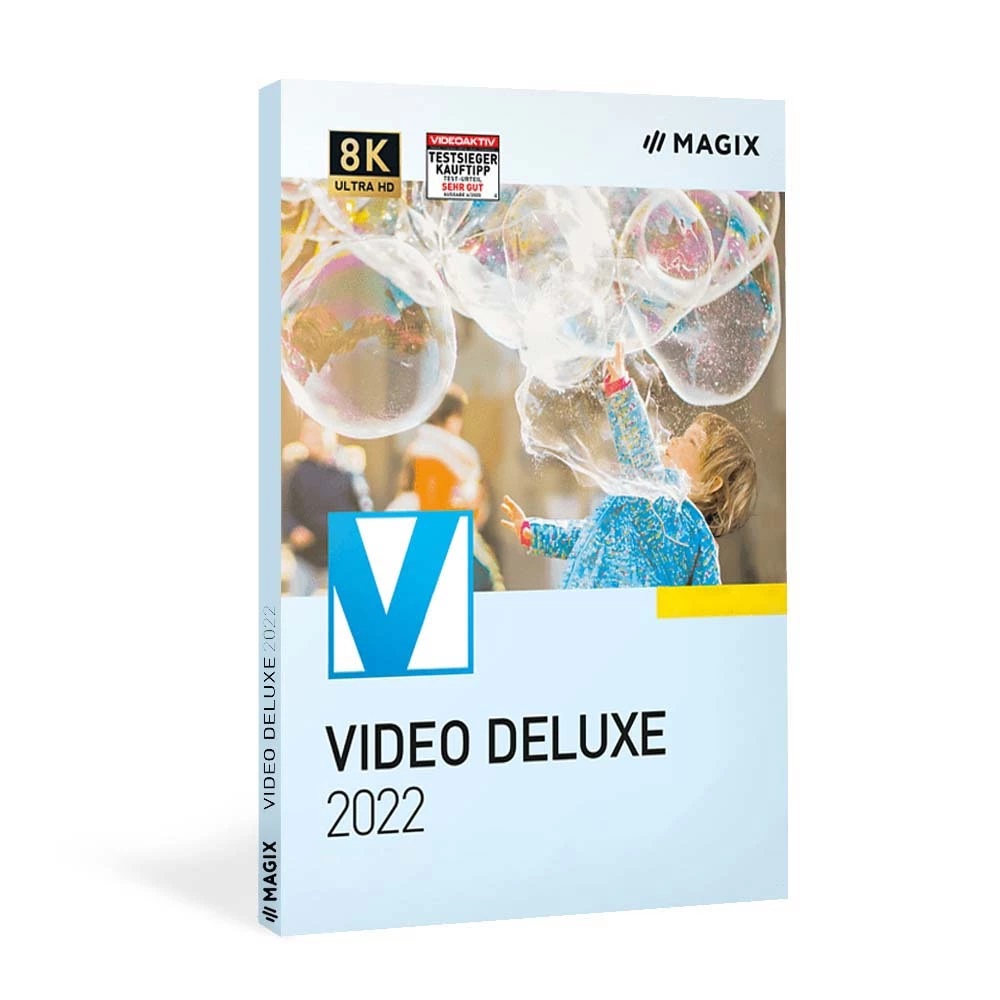
Magix Video Deluxe 2022
Obtain your own version of Magix Video Deluxe 2022 at the lowest price on our online shop.
After you successfully buy the product, you will receive by email:
- Magix Video Deluxe 2022 lifetime License Key code
- The full version of Magix Video Deluxe 2022 download link
- Instructions and guides on how to install and activate your product
- Free customer support available 7/7
The Benefits of Buying Magix Video Deluxe 2022 from us
Guaranteed Authenticity
All our softwares are 100% authentic, directly from official manufacturers.
Warranty
Enjoy peace of mind with our during the product's validity warranty, far beyond the standard 30 days.
Free Installation
Enjoy a free installation service for a hassle-free setup.
24/7 Customer Support
Our dedicated team is available anytime to assist you.
Best Prices
Get the best prices: CAD81.99!
Description
Magix Video Deluxe 2022: Overview
Magix Video Deluxe 2022 is a professional and feature-rich video editing software designed to help you create high-quality videos effortlessly. Whether you're a beginner or a seasoned editor, this software offers intuitive tools and advanced features to bring your creative vision to life.
- Over 900 titles, transitions, templates, and effects for professional-grade videos.
- Supports modern 8K UltraHD video editing and burning to DVD or Blu-ray.
- Intuitive interface with drag-and-drop functionality for seamless editing.
- Advanced color correction and image stabilization for polished results.
- Customizable workspace to suit your editing preferences.
Unleash Your Creativity with Magix Video Deluxe’s Key Features
Magix Video Deluxe 2022 is a powerhouse of tools designed to elevate your video editing experience. Whether you're crafting a short social media clip or a full-length cinematic masterpiece, this software has everything you need to bring your vision to life.
Precision Video Cutting and Optimization
Take full control of your footage with Magix Video Deluxe’s cutting-edge cutting and optimization tools. Trim, split, and rearrange clips with pinpoint accuracy to create a seamless flow. Enhance your videos with sharpness adjustments, noise reduction, and other optimization features to ensure your final product looks polished and professional.
Cinematic Color Grading for Stunning Visuals
Transform ordinary footage into cinematic masterpieces with Magix Video Deluxe’s professional color grading tools. Adjust hues, saturation, and brightness to create the perfect mood for your video. Whether you're going for a warm, nostalgic feel or a cool, modern aesthetic, the software gives you the flexibility to achieve your desired look effortlessly.
Advanced Image Stabilization for Smooth Footage
Say goodbye to shaky, unstable videos! Magix Video Deluxe’s built-in image stabilization feature smooths out uneven footage, turning shaky recordings into steady, high-quality videos. This tool is perfect for action shots, handheld recordings, or any situation where stability is key to delivering a professional result.
Craft Stunning Videos with Magix Video Deluxe’s Advanced Tools
Magix Video Deluxe 2022 is more than just a video editor—it’s a creative playground designed to cater to all your editing needs. From basic trimming to advanced effects, this software empowers you to create videos that stand out.
Effortless Media Management with Drag-and-Drop Functionality
Importing and organizing your media has never been easier. With Magix Video Deluxe’s intuitive drag-and-drop interface, you can quickly add clips, images, and audio files to your project. The integrated Mediapool keeps all your assets organized, so you can focus on what matters most—creating amazing videos.
Seamless Editing with Modern Editing Mode
Combine multiple clips or sequences into a single, cohesive project with Magix Video Deluxe’s modern editing mode. This feature simplifies the process of creating complex videos, allowing you to focus on storytelling and creativity. Whether you're merging scenes or adding transitions, the modern editing mode ensures a smooth and efficient workflow.
Personalized Editing with a Customizable Workspace
Make Magix Video Deluxe your own by tailoring the interface to suit your preferences. Arrange tools, panels, and menus to create a workspace that matches your editing style. This level of customization ensures a comfortable and efficient editing experience, whether you're a beginner or a seasoned pro.
System Requirements
To run Magix Video Deluxe 2022 smoothly, ensure your system meets the following requirements:
- Processor: 2.4 GHz
- RAM: 4 GB or more
- Graphics Card: Integrated resolution of at least 1280 x 1024, 512 MB VRAM, and DirectX 11 support (recommended: Intel Graphics HD 520 or higher for MPEG2/AVC/HEVC).
- Disk Space: 2 GB for program installation.
- Languages: Deutsch, English, Español, Français, Italiano, Nederlands.
- Internet Connection: Required for registration, validation, and access to certain features.
Frequently Asked Questions
-
What is Magix Video Deluxe 2022?
Magix Video Deluxe 2022 is a professional video editing software that offers a wide range of tools for creating high-quality videos, from basic editing to advanced effects.
-
Can I edit 8K videos with Magix Video Deluxe?
Yes, Magix Video Deluxe supports modern 8K UltraHD video editing, allowing you to work with high-resolution footage.
-
Is Magix Video Deluxe suitable for beginners?
Absolutely! The software features an intuitive interface and drag-and-drop functionality, making it easy for beginners to start editing videos.
-
How to Download and Activate Magix Video Deluxe?
Once your purchase is complete, you will receive a secure download link and a valid license key via email. Follow the installation instructions, enter your product key, and start using Magix Video Deluxe immediately.



