


Cart is empty
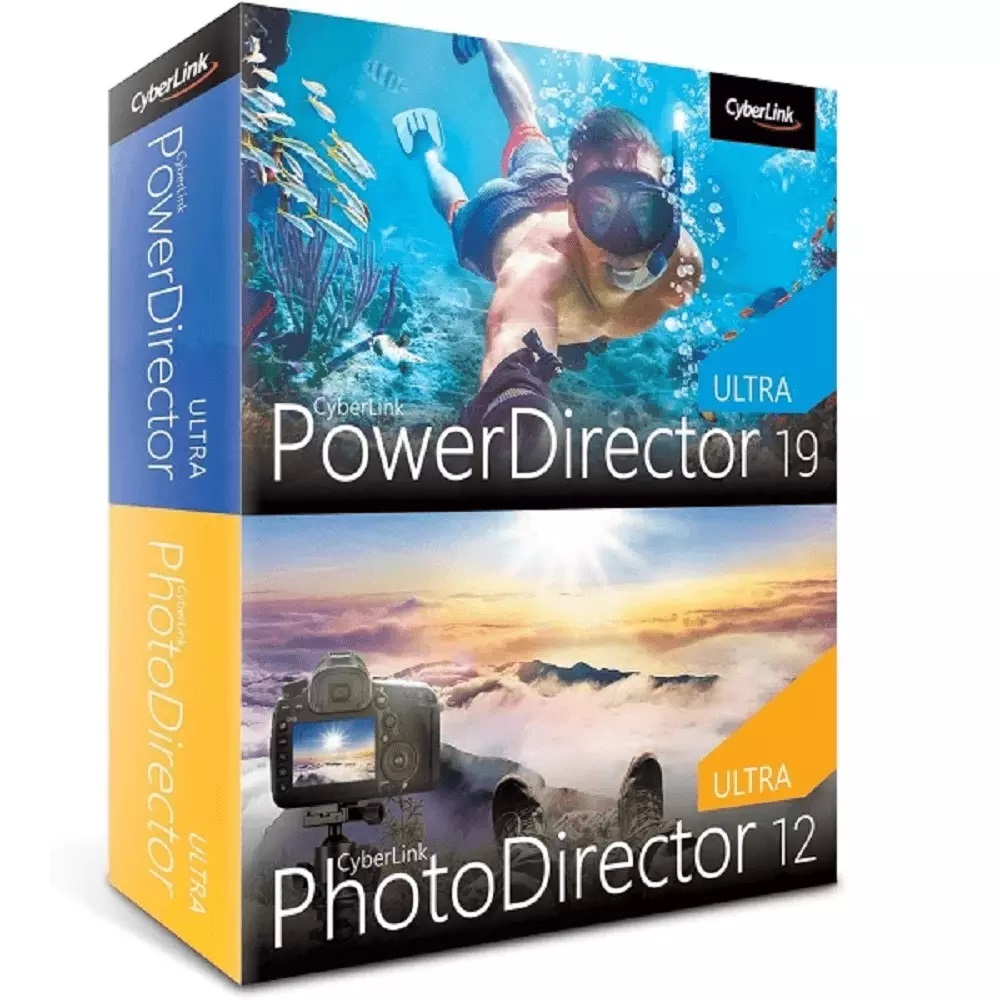
Hover on image to enlarge
Cyberlink PowerDirector 19 Ultra & PhotoDirector 12 Ultra Duo
Obtain your own version of Cyberlink PowerDirector 19 Ultra & PhotoDirector 12 Ultra Duo at the lowest price on our online shop.
After you successfully buy the product, you will receive by email:
- Cyberlink PowerDirector 19 Ultra & PhotoDirector 12 Ultra Duo lifetime License Key code
- The full version of Cyberlink PowerDirector 19 Ultra & PhotoDirector 12 Ultra Duo download link
- Instructions and guides on how to install and activate your product
- Free customer support available 7/7
The Benefits of Buying Cyberlink PowerDirector 19 Ultra & PhotoDirector 12 Ultra Duo from us
Guaranteed Authenticity
All our softwares are 100% authentic, directly from official manufacturers.
Warranty
Enjoy peace of mind with our during the product's validity warranty, far beyond the standard 30 days.
Free Installation
Enjoy a free installation service for a hassle-free setup.
24/7 Customer Support
Our dedicated team is available anytime to assist you.
Best Prices
Get the best prices: CAD170.99!
Description
Cyberlink PowerDirector 19 Ultra + PhotoDirector 12 Ultra Duo: Overview
An all-in-one solution for visual content creation. Transform your videos and photos with advanced, intuitive tools designed for beginners and professionals alike
- Create stunning videos with powerful editing tools.
- Transform photos into masterpieces with advanced AI.
- Enjoy a user-friendly interface for a seamless experience.
- Supports modern formats, including 360° videos and AI plug-ins.
- Available in multiple languages for worldwide use.
Unleash Your Creativity with PowerDirector
A Powerful and Accessible Video Editing Platform
PowerDirector redefines video editing by providing a user-friendly interface and rich features. Whether you want to trim clips, add effects, or publish your videos, this tool suits beginners and experts alike.
Cutting-Edge Tools for Stunning Videos
Explore a suite of advanced tools, including visual effects, smooth transitions, and 360° video editing. Designed for maximum efficiency, PowerDirector ensures an optimized user experience.
Professional-Grade Productions
Produce high-quality videos with presets and auto-enhancement tools. Export in high definition and easily share on streaming platforms or in professional contexts.
Elevate Your Photos with PhotoDirector
Turn Your Photos into Works of Art
PhotoDirector allows you to transform ordinary shots into masterpieces. With precise color controls, innovative filters, and unique effects, unleash your creativity like never before.
AI-Powered Editing for Perfection
Leverage advanced AI features to auto-correct photos, remove imperfections, and add artistic enhancements. Achieve impressive results with minimal effort.
Intuitive Interface for All Users
Easily navigate editing options with a user-friendly and ergonomic interface. Perfect for enthusiasts and professionals seeking a streamlined workflow.
System Requirements
Minimum Requirements
- Operating System: Microsoft Windows 10, 8/8.1, 7SP1 (64-bit only).
- Processor (CPU): Intel Core™ i-Series or AMD Phenom® II and above.
- Memory: 4 GB required (8 GB or more recommended).
- Hard Disk Space: 10 GB of free space.
- Graphics Card (GPU): Standard video requires 128 MB VGA VRAM or above. 360° video requires DirectX 11 support. AI plug-ins require 2 MB VGA VRAM or more.
Additional Requirements
- Optical Drive: A burner is required to write discs.
- Sound Card: Windows-compatible sound card.
- Internet Connection: Required for initial activation, downloading updates, and accessing DirectorZone.
- Screen Resolution: 1024 x 768 with 16-bit color or higher.
Frequently Asked Questions
-
What file formats are supported?
PowerDirector and PhotoDirector support a wide range of video and photo formats, including MP4, AVI, JPEG, PNG, and many more. Check the official website for a complete list.
-
Can I use the software on multiple devices?
Each license is intended for a single user. However, it can be activated on multiple devices if used by the same individual.
-
How can I update the software?
Updates can be downloaded directly from the software interface or through your online account after registration.
-
How to download and activate Cyberlink PowerDirector 19 Ultra + PhotoDirector 12 Ultra Duo?
Once your purchase is complete, you will receive a secure download link and a valid license key via email. Follow the installation instructions, enter your product key, and start using Cyberlink PowerDirector 19 Ultra + PhotoDirector 12 Ultra Duo immediately.



