


Cart is empty

Hover on image to enlarge
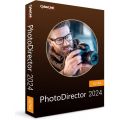
Cyberlink PhotoDirector 2024 Ultra

Delivery via email
Technical Support
Free
Activation Key
Authentic Code
Download
Download Link
Available Languages
EN | FR | DE | IT | ES | CN | JP | KR | KP | NL
Platform(s)

Validity
Lifetime
Country Zone(s)
Worldwide
Version
Full Version
The Benefits of Buying Cyberlink PhotoDirector 2024 Ultra from us
Guaranteed Authenticity
All our softwares are 100% authentic, directly from official manufacturers.
Warranty
Enjoy peace of mind with our during the product's validity warranty, far beyond the standard 30 days.
Free Installation
Enjoy a free installation service for a hassle-free setup.
24/7 Customer Support
Our dedicated team is available anytime to assist you.
Best Prices
Get the best prices: CAD110.99!
Description
Cyberlink PhotoDirector 2024 Ultra: Overview
Discover Cyberlink PhotoDirector 2024 Ultra, a comprehensive photo editing software designed to unleash your creativity. With advanced features and an intuitive user interface, it allows you to make quick adjustments or more in-depth retouches with ease.
- Automated photo retouching with artificial intelligence for simplified work.
- Creative tools to add unique effects to your photos.
- Portrait processing features for natural-looking results.
- Advanced editing functions with layers and masks for full customization.
- User-friendly interface suitable for both beginners and advanced users.
Advanced AI Features and Creative Tools with Cyberlink PhotoDirector 2024 Ultra
AI-Powered Photo Retouching
Take advantage of powerful AI tools to automatically enhance your photos. From object removal to adding spectacular effects, PhotoDirector simplifies creating stunning images with just a few clicks.
AI Background Removal
With AI-based technology, easily remove or replace backgrounds, giving your photos a fresh and professional look in no time. This feature allows you to place your subject in new and creative environments effortlessly.
Face Recognition and Retouching
PhotoDirector’s AI can recognize faces, enabling precise adjustments to facial features for a flawless look. Smooth skin, enlarge eyes, or whiten teeth with ease for portrait perfection.
Particle and Glow Effects
Add mesmerizing particle and glow effects to your photos to make them stand out. Whether you're adding light trails or sparkles, these effects bring your creativity to life.
Gradient Filters and Animated Overlays
Enhance your photos with gradient filters and animated overlays that offer a dynamic, professional look. Perfect for making portraits or landscapes more impactful.
HDR and Vignette Effects
Achieve vibrant and stunning images with HDR effects, and add a vignette for an artistic, professional touch that highlights the subject of your photo.
Layered Editing for Complex Compositions
Unlimited Layers and Masking Tools
PhotoDirector allows you to use unlimited layers, providing maximum flexibility in your edits. Combine text, stickers, and graphics, and use layer masks to precisely control every detail of your image.
Layer Blending Modes and Transparency
Take full control of your compositions with different layer blending modes and transparency settings. These features ensure that every part of your image fits perfectly together.
Layer Styles for Custom Effects
Create unique effects with various layer styles. Adjust opacity, shadows, and highlights to craft the perfect composition for your photo project.
System Requirements
- Operating System: Microsoft Windows 11, 10, 8.1, 8, and 7 (64-bit)
- Processor: Intel Core i-Series or AMD Phenom II and above
- Memory: 4 GB (8 GB recommended)
- Disk Space: 2 GB
- Graphics Processor (GPU): 128 MB of VGA VRAM or more
- Screen Resolution: 1024 x 768 px, 16-bit color or higher
- Internet Connection Required
- EN | FR | DE | IT | ES | CN | JP | KR | KP | NL
This product is available in the following languages
Frequently Asked Questions
-
How to use AI for photo retouching with Cyberlink PhotoDirector 2024 Ultra?
PhotoDirector’s AI allows you to make automatic adjustments such as enhancing sharpness, removing unwanted objects, and changing backgrounds, making photo retouching easier.
-
Is PhotoDirector 2024 Ultra compatible with older versions of Windows?
Yes, the software is compatible with Windows 7, 8, 8.1, 10, and 11, but it is recommended to use a recent version of Windows for better performance.
-
Can I export my photos in high resolution with PhotoDirector?
Yes, PhotoDirector allows you to export your photos in high resolution for professional-quality prints or web use.
-
How to Download and Activate Cyberlink PhotoDirector 2024 Ultra?
Once your purchase is completed, you will receive a secure download link and a valid license key by email. Follow the installation instructions, enter your product key, and start using Cyberlink PhotoDirector 2024 Ultra immediately.



