


Cart is empty
Hover on image to enlarge

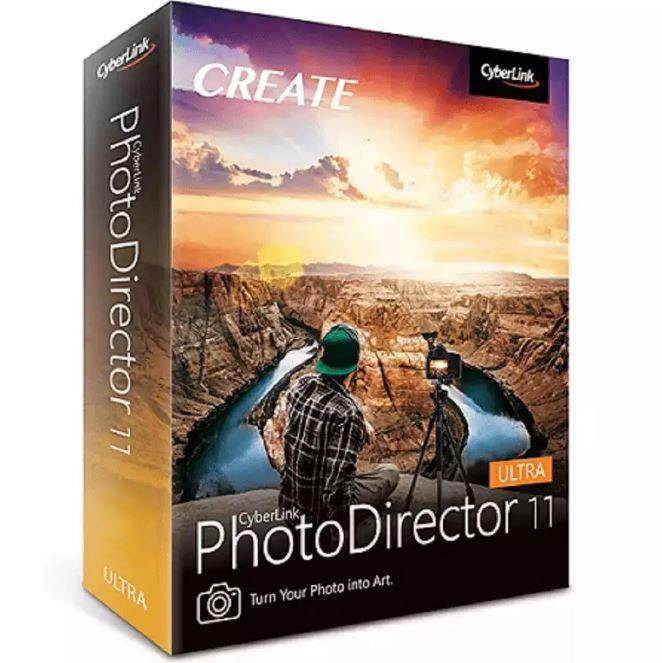
Cyberlink PhotoDirector 11 Ultra

Delivery via email
Technical Support
Free
Activation Key
Authentic Code
Download
Download Link
Available Languages
Multilingual
Platform(s)

Validity
Lifetime
Country Zone(s)
Worldwide
Version
Full Version
The Benefits of Buying Cyberlink PhotoDirector 11 Ultra from us
Guaranteed Authenticity
All our softwares are 100% authentic, directly from official manufacturers.
Warranty
Enjoy peace of mind with our during the product's validity warranty, far beyond the standard 30 days.
Free Installation
Enjoy a free installation service for a hassle-free setup.
24/7 Customer Support
Our dedicated team is available anytime to assist you.
Best Prices
Get the best prices: CAD68.99!
Description
Cyberlink PhotoDirector 11 Ultra for Mac: Overview
Cyberlink PhotoDirector 11 Ultra for Mac combines the best in image editing, optimization, and portrait retouching. Whether you're a professional or an enthusiast, this software provides powerful features similar to Photoshop and Lightroom, but with a user-friendly interface and AI-driven tools that make image editing effortless. Perfect for photographers and content creators, it simplifies complex tasks and delivers professional-grade results with minimal effort.
- AI-Powered Deblur for flawless photos
- Customizable templates for unique designs
- Advanced color replacement for personalized edits
- Efficient photo management with AI facial recognition
- Supports a wide variety of file formats for import and export
Discover the Power of Cyberlink PhotoDirector 11 Ultra for Mac – Key Features
Unleash Creativity with Powerful Layer Editing
Cyberlink PhotoDirector 11 Ultra for Mac allows users to creatively combine images, text, and graphics through its powerful layer editing feature. It provides complete flexibility with blending modes, effects, and masks, offering unlimited creative possibilities. You can adjust fonts, colors, sharpness, and much more to fine-tune your compositions.
Effortless Organization with AI-Powered Photo Management
Managing large photo collections has never been easier. With Cyberlink's AI facial recognition technology, powered by the FaceMe engine, you can quickly organize and tag faces in your photos. Once a face is tagged in one photo, it’s automatically detected and tagged in all future photos, saving you valuable time. This intuitive system also helps you find specific faces in vast collections, streamlining your workflow.
Bring Clarity Back with AI-Powered Deblur
No more blurry images! The AI-powered deblur tool fixes out-of-focus photos, making them sharp and clear. Whether it’s a photo of moving children, pets, or pictures taken from moving vehicles, this feature ensures perfect results. The advanced AI algorithms analyze the photo, intelligently restoring lost details to reveal crisp and vivid images.
Transform Your Images with Advanced Color Replacement
With PhotoDirector 11 Ultra, you can completely transform the look of your images by changing the color of specific objects. This advanced color replacement tool allows for multiple areas to be selected at once, ensuring consistency in the adjustments. Whether you're correcting a color imbalance or adding artistic flair, this tool gives you complete control over the look of your photos.
Unleash Your Creativity with Cyberlink PhotoDirector 11 Ultra for Mac – Editing Features & Performance
Create Cinematic Magic with Motion Graphics & Animated Titles
Create professional-looking animated titles and motion graphics with ease. PhotoDirector’s tools allow for seamless integration of dynamic text and effects to give your videos and images a polished, cinematic feel. Whether you're making a video montage or a promotional clip, this feature lets you add eye-catching, engaging visuals effortlessly.
Achieve Perfect Alignment with Ease
This feature lets you quickly and accurately align objects within your photos, making complex editing tasks simple and efficient. Whether you’re working with text, images, or design elements, aligning them with precision is just a click away. Perfect alignment ensures your compositions are balanced, polished, and ready for professional use. Say goodbye to misaligned elements and hello to seamless layouts.
Craft Stunning Video Collages with Ease
Bring your photos to life with the video collage designer. Combine your still images into a visually stunning video collage with smooth transitions and effects, creating dynamic visuals in just a few clicks. This feature allows you to merge photos and videos into a unified, engaging story. It's perfect for social media, presentations, or creative projects that require a unique visual touch. Make your photos move and captivate your audience.
System Requirements
To ensure optimal performance, make sure your system meets the following requirements:
General Requirements
- Operating System: macOS v10.11 or higher
- Processor (CPU): Intel Core™ i-Series or AMD Phenom® II and higher
- Graphics Card (GPU): 128 MB VRAM or higher
- Memory: 4 GB (8 GB or more recommended)
- Hard Disk Space: 2 GB required
- Internet Connection: Required for initial activation and certain file format activations
- Screen Resolution: 1024 x 768, 16-bit color or higher
Supported Languages
- English
- French
- German
- Italian
- Spanish (Europe)
- Chinese (Simplified and Traditional)
- Japanese
- Korean
- Dutch
Frequently Asked Questions
-
What formats does Cyberlink PhotoDirector 11 Ultra for Mac support for import and export?
Cyberlink PhotoDirector 11 Ultra supports various formats for both import and export, including JPG, TIFF, PNG, RAW, and many more. Video formats such as MP4, MOV, AVI, and others are also supported.
-
Can I use Cyberlink PhotoDirector 11 Ultra on multiple devices?
PhotoDirector 11 Ultra is licensed for use on a single device. If you need to use it on multiple devices, you would need to purchase additional licenses.
-
Does Cyberlink PhotoDirector 11 Ultra work with RAW files?
Yes, Cyberlink PhotoDirector 11 Ultra supports importing RAW files from most cameras, making it ideal for professional photographers working with high-quality images.
-
How do I download and activate Cyberlink PhotoDirector 11 Ultra for Mac?
Once your purchase is complete, you'll receive a secure download link and a valid license key by e-mail. Follow the installation instructions, enter your product key and start using Cyberlink PhotoDirector 11 Ultra for Mac immediately.



