

Cart is empty
6751AD2F72808
Hover on image to enlarge
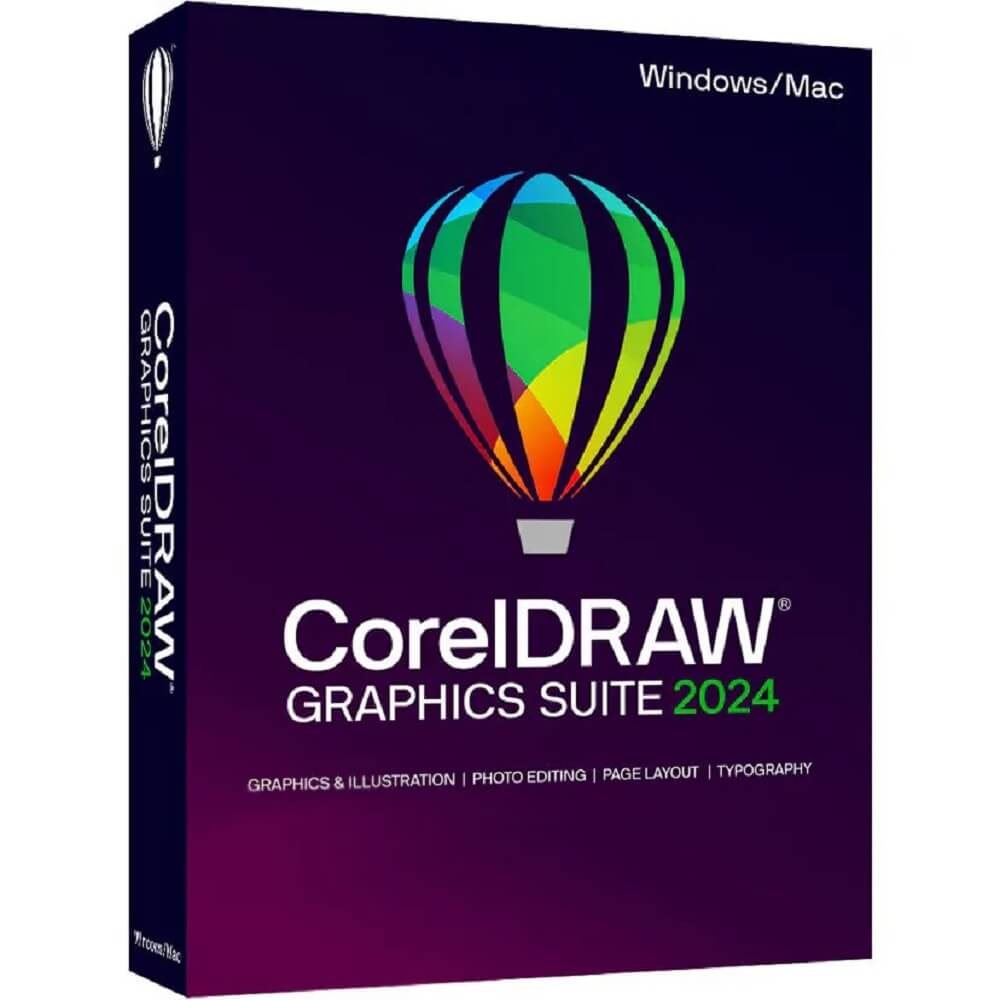
CorelDRAW Graphics Suite 2024

Delivery via email
Technical Support
 Free
Free
Free
Activation Key
 Authentic Code
Authentic Code
Download
 Download Link
Download Link
Available Languages
 EN | DE | FR | IT | PT | NL
EN | DE | FR | IT | PT | NL
Platform(s)

Validity
 Lifetime
Lifetime
Country Zone(s)
 Worldwide
Worldwide
Version
 Full Version
Full Version
The Benefits of Buying CorelDRAW Graphics Suite 2024 from us
Guaranteed Authenticity
All our softwares are 100% authentic, directly from official manufacturers.
Warranty
Enjoy peace of mind with our during the product's validity warranty, far beyond the standard 30 days.
Free Installation
Enjoy a free installation service for a hassle-free setup.
24/7 Customer Support
Our dedicated team is available anytime to assist you.
Best Prices
Get the best prices: CAD909.99!
Description
CorelDRAW Graphics Suite 2024 - Overview
- One-Year License: Full access to the software for one year.
- Integrated Applications: A comprehensive toolkit for diverse design needs.
- Native Operating System Experience: Smooth functionality on Windows and Mac.
Key Advantages of CorelDRAW Graphics Suite 2024
Intuitive Interface
Enjoy an easy-to-use workspace designed for both professionals and beginners.
Exceptional Versatility
A software that adapts to all your projects, from illustrations to web graphics.
Frequent Updates
Stay up-to-date with the latest features and improvements for an optimized design experience.
Cross-Platform Compatibility
Use the software on Windows, Mac, iPad, and the Web, with no compromise on performance.
Maximized Efficiency
Designed to speed up your workflow, allowing you to create faster and smarter.
Remarkable Features
- Advanced Vector Illustration: Transform simple shapes into complex artworks with a powerful drawing toolkit.
- Flexible Layout: Create flawless layouts for brochures, multipage documents, and more, with complete creative freedom.
- Powerful Photo Editing: Adjust colors and imperfections, and create HDR images from your RAW files.
- Customizable Typography: Bring your text to life with various effects and dynamic adjustments.
- Web Creation Tools: Develop captivating web content with precise and tailored graphic tools.
- Professional Quality Printing: Enjoy complete control over production with advanced options and optimized color management.
Core Applications of CorelDRAW Graphics Suite 2024
- CorelDRAW®: Vector illustration and layout
- Corel PHOTO-PAINT™: Image editing and pixel-based design
- Corel® Font Manager: Font management and exploration
- PowerTRACE™: AI-optimized bitmap vectorization
- CAPTURE™: Screen capture tool (Windows only)
- AfterShot™ HDR: RAW photo editing
System Requirements for CorelDRAW Graphics Suite 2024
Windows
- Platforms: Windows 11, 10 (64-bit)
- Processor: Intel Core i3/5/7/9 or AMD Ryzen 3/5/7/9/Threadripper, EPYC
- RAM: 8 GB
- Available Disk Space: 5.5 GB
- Screen Resolution: 1280 x 720 at 100% (96 dpi)
Mac
- Platforms: macOS Sonoma (14), macOS Ventura (13), or macOS Monterey (12)
- Processor: Multi-core Intel or Apple M1
- RAM: 8 GB
- Available Disk Space: 4 GB
- Screen Resolution: 1280 x 800 (1920 x 1080 recommended)
- Note: The software can be installed on two machines.
How to Purchase, Download, and Activate CorelDRAW Graphics Suite 2024
Visit licensekey24.com and select CorelDRAW Graphics Suite 2024 in just a few clicks. After completing your purchase, you will instantly receive a secure download link and a valid license key via email. Follow the installation instructions, enter your product key, and start using CorelDRAW Graphics Suite 2024 immediately.
Frequently Asked Questions
-
What is CorelDRAW Graphics Suite 2024?
CorelDRAW Graphics Suite 2024 is a comprehensive software suite for graphic design, illustration, layout, photo editing, and more. It is ideal for professionals and creatives looking for powerful design tools.
-
What new features are available in CorelDRAW Graphics Suite 2024?
- Enhanced photo-editing tools.
- Improved collaboration and workflow features.
- New design templates and fonts.
- Performance optimizations for faster rendering.
CorelDRAW Graphics Suite
| Products |
|
|
|
|---|---|---|---|
| Painterly Brush tool | ✔ | ❌ | ❌ |
| Remote fonts in CorelDRAW | ✔ | ❌ | ❌ |
| Streamlined non-destructive effects workflow | ✔ | ❌ | ❌ |
| Focus Mode | ✔ | ❌ | ❌ |
| Enhanced asset management | ✔ | ✔ | ❌ |
| Multipage export in Export docker | ✔ | ❌ | ❌ |
| Print Merge support for QR codes, images, and .xlsx data | ✔ | ❌ | ❌ |
| Enhanced PDF file import | ✔ | ✔ | ❌ |
| Variable Outline tool | ✔ | ✔ | ❌ |
| Personalized practice projects | ❌ | ❌ | ❌ |
| Cloud template library | ❌ | ❌ | ❌ |
| WebP file support | ✔ | ✔ | ❌ |
| Enhanced Start New Document workflow | ✔ | ✔ | ❌ |
| Adjustment presets | ✔ | ✔ | ❌ |
| Adjustments docker/inspector | ✔ ENHANCED |
✔ ENHANCED |
✔ |
| Effects docker/inspector in Corel PHOTO-PAINT | ✔ | ❌ | ❌ |
| Pages docker/inspector | ✔ ENHANCED |
✔ ENHANCED |
✔ |
| Learn docker/inspector | ✔ | ✔ | ❌ |
| Share ideas and provide feedback | ✔ | ✔ | ❌ |
| Drawing tools | |||
| Perspective Drawing | ✔ | ✔ | ✔ |
| Snap to Self | ✔ | ✔ | ✔ |
| Vector feathering | ✔ | ✔ | ✔ |
| Advanced Shadow tools, incl. Inner Shadow, Block Shadow | ✔ | ✔ | ✔ |
| Bitmap effects lens | ✔ | ✔ | ✔ |
| AI-Powered PowerTRACE™ | ✔ | ✔ | ✔ |
| Non-destructive effects | ✔ ENHANCED |
✔ | ✔ |
| AI-powered Art Style effects | ✔ | ✔ | ✔ |
| Symmetry mode | ✔ | ✔ | ✔ |
| Pointillizer™, Impact tool | ✔ | ✔ | ✔ |
| Straighten photos interactively | ✔ | ✔ | ✔ |
| LiveSketch™ tool | ✔ | ✔ | ✔ |
| Vector and bitmap pattern fills | ✔ | ✔ | ✔ |
| Fountain fills | ✔ | ✔ | ✔ |
| Mesh Fill | ✔ | ✔ | ✔ |
| Layout tools | |||
| Multipage View | ✔ ENHANCED |
✔ ENHANCED |
✔ |
| Pages docker/Inspector | ✔ ENHANCED |
✔ ENHANCED |
|
| Autofit Page | ✔ | ✔ | ✔ |
| Objects docker/inspector | ✔ | ✔ | ✔ |
| Align and Distribute docker/inspector | ✔ | ✔ | ✔ |
| Alignment and Dynamic Guides | ✔ | ✔ | ✔ |
| Fit Objects to a Path | ✔ | ✔ | ✔ |
| Apply envelopes to bitmaps | ✔ | ✔ | ✔ |
| Master Layers | ✔ | ✔ | ✔ |
| Image editing | |||
| Image Adjustments docker/inspector | ✔ ENHANCED |
✔ ENHANCED |
✔ |
| Replace Colors | ✔ | ✔ | ✔ |
| AI-powered Upsampling options | ✔ | ✔ | ✔ |
| AI-powered JPEG artifact removal | ✔ | ✔ | ✔ |
| Non-destructive effects in Corel PHOTO-PAINT | ✔ ENHANCED |
✔ | ✔ |
| Smart Selection mask tool | ✔ | ✔ | ✔ |
| Tone curve adjustments | ✔ ENHANCED |
✔ ENHANCED |
✔ |
| PhotoCocktail™ | ✔ | ✔ | ✔ |
| Adjust photo perspective interactively | ✔ | ✔ | ✔ |
| Liquid tools | ✔ | ✔ | ✔ |
| Unsharp Mask Lens | ✔ | ✔ | ✔ |
| Smart Carver™ | ✔ | ✔ | ✔ |
| Collaboration | |||
| Project Dashboard | ❌ | ❌ | ✔ |
| Live Comments | ❌ | ❌ | ❌ |
| Real-time collaboration | ❌ | ❌ | ❌ |
| Comments docker/inspector | ❌ | ❌ | ✔ |
| Cloud-based asset management | ❌ | ❌ | ❌ |
| Design workflow | |||
| Symbol docker/inspector | ✔ | ✔ | ✔ |
| Find and Replace | ✔ | ✔ | ✔ |
| Context-sensitive Object Properties docker/inspector | ✔ | ✔ | ✔ |
| Styles engine and docker/inspector | ✔ | ✔ | ✔ |
| Color management | ✔ | ✔ | ✔ |
| PANTONE Color Palettes | ✔ | ✔ 220+ new Pantone Colors |
✔ 220+ new Pantone Colors |
| Color Styles | ✔ | ✔ | ✔ |
| Complementary colors and Harmonies | ✔ | ✔ | ✔ |
| Document color palettes | ✔ | ✔ | ✔ |
| QR codes | ✔ | ✔ | ✔ |
| Project Timer | ✔ | ✔ | ✔ |
| Adobe product support | ✔ | ✔ | ✔ |
| Microsoft product support | ✔ | ✔ | ✔ |
| AutoCAD DWG/DXF support | ✔ | ✔ | ✔ |
| Typography | |||
| Remote fonts in CorelDRAW | ✔ -1,400+ Google Fonts families -Included font packs |
❌ iGoogle Fonts integration via Corel Font Manager only. |
❌ |
| Variable Fonts support | ✔ | ✔ | ✔ |
| Font list box | ✔ ENHANCED |
✔ | ✔ |
| Numbered lists and Bulleted lists | ✔ | ✔ | ✔ |
| Corel Font Manager | ✔ | ✔ | ✔ |
| Special characters, symbols, and glyphs | ✔ | ✔ | ✔ |
| Font embedding | ✔ | ✔ | ✔ |
| Printing & Publishing | |||
| Multi-Asset Export | ✔ ENHANCED |
✔ ENHANCED |
✔ |
| Export docker/inspector | ✔ ENHANCED |
✔ ENHANCED |
✔ |
| Print Merge | ✔ ENHANCED |
✔ | ✔ |
| PDF/X support (incl. PDF/X-4) | ✔ | ✔ | ✔ |
| PDF/A support | ✔ | ✔ | ✔ |
| Prep & Stretch docker/inspector | ✔ | ✔ | ✔ |
| Border and Grommet for banner printing | ✔ | ✔ | ✔ |
| Preflight Control | ✔ | ✔ | ✔ |
| On-screen color proof | ✔ | ✔ | ✔ |
| Web | |||
| CorelDRAW.app | ❌ | ❌ | ❌ |
| Publish to WordPress | ✔ | ✔ | ✔ |
| Design in pixels | ✔ | ✔ | ✔ |
| Pixel-perfect workflow | ✔ | ✔ | ✔ |
| Accessing design assets | |||
| Cloud-based asset management | ❌ | ❌ | ❌ |
| HEIF support | ✔ | ✔ | ✔ |
| Built-in RAW camera support (>400 camera models supported) | ✔ | ✔ | ✔ |
| Blank document/image presets | ✔ | ✔ | ✔ |
| High-quality thumbnail previews | ✔ | ✔ | ✔ |
| User interface | |||
| Windows 11 optimized user interface | ❌ | ✔ | ✔ |
| Customizable keyboard shortcuts (For Mac) | ✔ | ✔ | ✔ |
| Touch-friendly user interface | ✔ | ✔ | ✔ |
| Microsoft Surface support | ✔ | ✔ | ✔ |
| Welcome Screen | ✔ ENHANCED |
✔ ENHANCED |
✔ |
| Workspaces (Windows only) | ✔ | ✔ | ✔ |
| Fully scalable and customizable UI (Windows only) | ✔ | ✔ | ✔ |
| Content | |||
| Modern templates | ✔ | ✔ | ✔ |
| Professional clipart | ✔ | ✔ | ✔ |
| High-quality photos | ✔ | ✔ | ✔ |
| Specialized fonts | ✔ | ✔ | ✔ |
| Learning materials and documentation | |||
| Learn docker / inspector | ✔ | ✔ | ❌ |
| Practice projects | ✔ | ✔ | ✔ |
| Hints docker/inspector | ✔ | ✔ | ✔ |
| Video tutorials and video hints | ✔ | ✔ | ✔ |
| Quick Start Guide | ✔ | ✔ | ✔ |
| Platform support | |||
| Windows 11 | ✔ ENHANCED |
✔ ENHANCED |
✔ |
| Windows 10 | ✔ (version 21H1, 21H2 and newer) |
✔ (version 21H1, 21H2 and newer) |
✔ (up to version 21H1) |
| macOS Sonoma (14) | ✔ | ❌ | ❌ |
| macOS Ventura (13) | ✔ | ✔ | ❌ |
| macOS Monterey (12) | ✔ | ✔ | ✔ |
| Apple Silicon (M1/M2) Support | ✔ | ✔ | ❌ |
| iPadOS (CorelDRAW.app for iPad) | ❌ | ❌ | ❌ |
| Deployment and automation | |||
| Windows Installer (MSI) support | ✔ | ✔ | ✔ |
| macOS deployment support | ✔ | ✔ | ✔ |
| Developer Community site | ✔ | ✔ | ✔ |
| Microsoft Visual Studio Tools for Applications | ✔ ENHANCED |
✔ | ✔ |
| Microsoft Visual Basic for Applications | ✔ | ✔ | ✔ |
| JavaScript automation support | ✔ | ✔ | ✔ |
|
CAD404.99
See more
|
CAD419.99
See more
|
CAD749.99
See more
|