


Cart is empty

Hover on image to enlarge
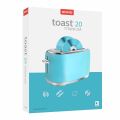
Corel Roxio Toast 20 Titanium

Delivery via email
Technical Support
 Free
Free
Free
Activation Key
 Authentic Code
Authentic Code
Download
 Download Link
Download Link
Available Languages
 EN | FR | DE | IT | ES | JP
EN | FR | DE | IT | ES | JP
Platform(s)
 macOS
macOS
macOS
Available validities
 Lifetime
Lifetime
Country Zone(s)
 Worldwide
Worldwide
Version
 Full Version
Full Version
The Benefits of Buying Corel Roxio Toast 20 Titanium from us
Guaranteed Authenticity
All our softwares are 100% authentic, directly from official manufacturers.
Warranty
Enjoy peace of mind with our during the product's validity warranty, far beyond the standard 30 days.
Free Installation
Enjoy a free installation service for a hassle-free setup.
24/7 Customer Support
Our dedicated team is available anytime to assist you.
Best Prices
Get the best prices: CAD160.99!
Description
Corel Roxio Toast 20 Titanium : Overview
Corel Roxio Toast 20 Titanium is a complete digital media suite for macOS, designed to help you burn, copy, convert, capture, edit, and secure your files. With intuitive tools and professional features, it simplifies creating discs, managing media, and safeguarding valuable data, making it an essential solution for both creative projects and everyday file handling.
- Burn CDs, DVDs, and Blu-ray Discs with custom menus, chapters, and music
- Copy and restore content from discs, even when partially damaged
- Convert media to popular digital formats with efficient workflows
- Capture video, audio, and screen recordings for tutorials or content creation
- Edit photos, audio, and video files with creative tools before sharing or burning
- Protect sensitive information with advanced encryption and password security
Corel Roxio Toast 20 Titanium Features and Tools
Disc Burning and Customisation
Toast 20 Titanium enables you to burn data, photo, music, and video discs with ease. Its drag-and-drop workflow makes creating DVDs with menus and chapters straightforward, while Toast Pro expands this with full Blu-ray support for high-definition projects.
Copying and Backup Options
With just a few clicks, you can copy CDs and DVDs, duplicate discs for distribution, or back up essential files. The software also includes the ability to recover content from damaged discs, offering peace of mind when handling valuable data.
Media Conversion and Restoration
Converting between digital formats is seamless, whether ripping audio CDs, converting DVDs, or transforming files from older media like tapes and LPs. It supports a wide array of formats, ensuring compatibility and flexibility for all your digital needs.
Capture and Editing Capabilities
Toast gives you tools to capture screen recordings, webcam footage, and voiceover audio simultaneously. Ideal for creating tutorials or presentations, it also lets you edit photos, videos, and audio clips, enhancing them before burning or sharing online.
What’s New in Corel Roxio Toast 20 Titanium
New Template Designer
The redesigned template designer allows you to build DVD menus with personalised layouts, backgrounds, and music. This gives your discs a professional look while making them unique to your style.
Simplified File Conversion
File conversion is now faster and more intuitive thanks to the new simplified interface. This improvement streamlines workflows and reduces the steps needed to transform media into widely used formats.
Enhanced Audio Tagging
Audio disc creation is enhanced with improved metadata tools. You can now add album artwork, artist names, and custom tags, ensuring your audio projects are organised and visually appealing.
System Requirements
- Operating System: macOS 10.14 to macOS 15
- Processor: Apple M1 chip or Intel-based Mac
- RAM: 2 GB recommended
- Disk Space: 1 GB available for installation of all components
- Optical Drive: DVD drive required for disc installation; digital download available
- Other Requirements: Internet connection required for installation, registration, and updates
- Supported Audio Formats: AAC, AIFF, MP3, WAV, M4A, OGG, FLAC, Dolby Digital AC-3
- Supported Video Formats: AVCHD, AVCHD Lite, DV, MJPEG, MOV, MPEG-1/2/4, VOB, VIDEO_TS
- Supported Photo Formats: BMP, GIF, JPG, PDF, PSD, PNG, TIFF
- Supported Disc Images: ISO, BIN/CUE, IMG, DMG, CDR, NRG
Frequently Asked Questions
-
What are the main advantages of Corel Roxio Toast 20 Titanium?
Toast 20 Titanium provides a full digital media solution, combining disc burning, file copying, media conversion, and editing tools in one package, with strong security features and wide format support
-
Can I create personalised DVD menus with Toast 20 Titanium?
Yes, Toast 20 Titanium includes customisation tools for building DVD menus with templates, backgrounds, music, and more. Pro users also benefit from access to an extended library of menu options
-
Does Toast 20 Titanium support Blu-ray burning and recovery from damaged discs?
Toast 20 Titanium supports Blu-ray burning in the Pro edition and allows data recovery from damaged CDs or DVDs, ensuring your important files are accessible even from compromised media
-
How do I download and activate Corel Roxio Toast 20 Titanium?
Once your purchase is complete, you will receive a secure download link and a valid license key by e-mail. Follow the installation instructions, enter your product key and start using Corel Roxio Toast 20 Titanium immediately



