


Cart is empty
Save 36%
Hover on image to enlarge
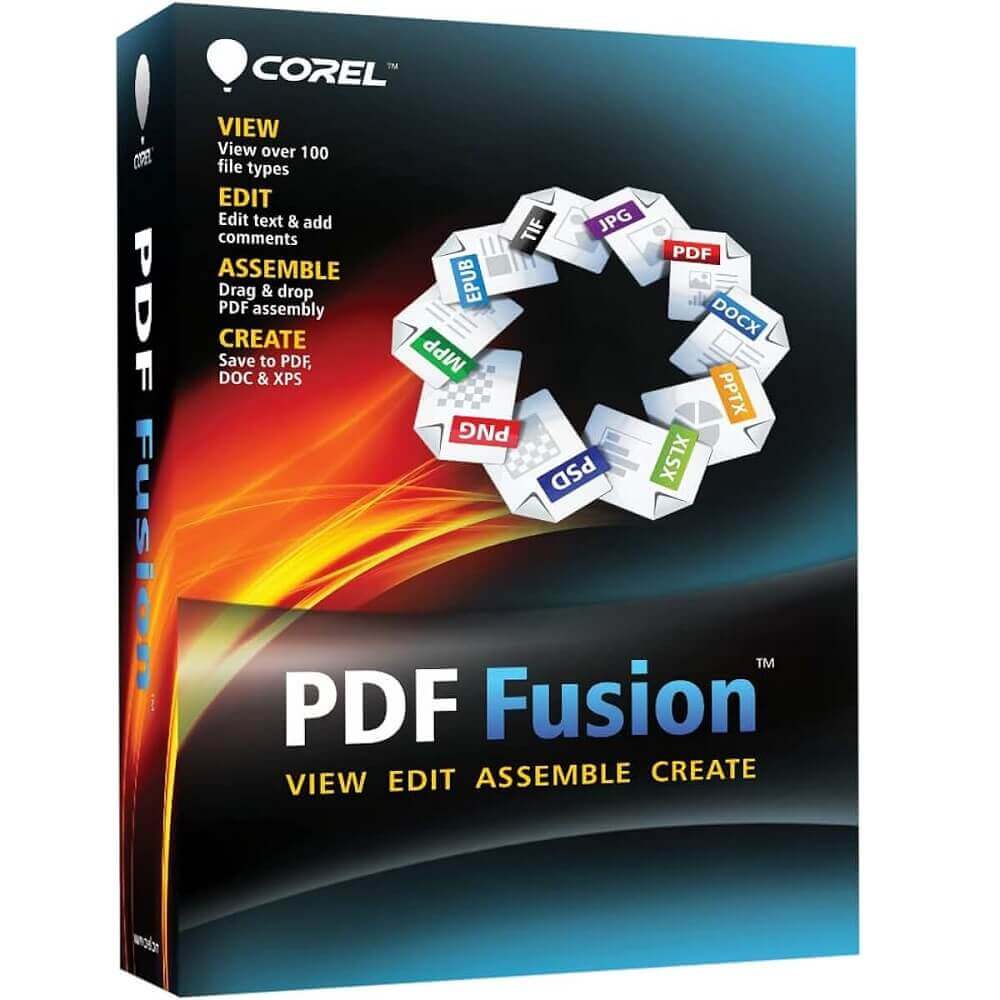
Corel PDF Fusion

Delivery via email
Technical Support
 Free
Free
Free
Activation Key
 Authentic Code
Authentic Code
Download
 Download Link
Download Link
Available Languages
 Multilingual
Multilingual
Platform(s)
 Windows
Windows
Available validity
 Lifetime
Lifetime
Country Zone(s)
 Worldwide
Worldwide
Version
 Full Version
Full Version
The Benefits of Buying Corel PDF Fusion from us
Guaranteed Authenticity
All our softwares are 100% authentic, directly from official manufacturers.
Warranty
Enjoy peace of mind with our during the product's validity warranty, far beyond the standard 30 days.
Free Installation
Enjoy a free installation service for a hassle-free setup.
24/7 Customer Support
Our dedicated team is available anytime to assist you.
Best Prices
Get the best prices: CAD44.99 instead of CAD69.99 and save! CAD25!
Description
Corel PDF Fusion: Overview
- PDF Creation: Easily drag and drop files to create PDF documents. Add and edit text without hassle.
- Editing: Directly edit text, insert new elements, and add comments, bookmarks, and hyperlinks. You can also add watermarks and protect sensitive information.
- Assembly: Combine various content (documents, tables, images) into one PDF without worrying about format compatibility.
- Conversion: Easily convert files to PDF or XPS from any application with print functionality. Microsoft Word, Excel, and PowerPoint files can be converted with a single click while preserving the original formatting.
- Security: Create secure PDFs with high encryption levels to control access and document modifications.
The All-in-One PDF Creation Tool!
Corel PDF Fusion provides a comprehensive range of PDF solutions at a far superior price-performance ratio. With this unique PDF creation tool, you can open, view, and edit over 100 different file formats, even if you don’t have the software that originally created the file format. To create new PDFs, simply drag and drop content into a PDF document. You can easily add and edit text. In a world where content is king, a tool like Corel PDF Fusion is simply indispensable.
It’s no surprise that the PDF format has become the industry standard for sharing business, government, legal, and general documents, as it's one of the easiest ways to share information. Given the PDF format's ubiquity and the availability of easy-to-use PDF readers on virtually every device, choosing this standard ensures that text, graphics, and images are displayed as intended and can be easily shared with others. However, despite all the advantages PDF offers, users can only fully benefit if they have an application that allows them to quickly and easily convert various files into PDF format. This is where Corel® PDF Fusion steps in, enabling you to view and edit over 100 file formats without the need to purchase the applications used to create them.
PDF Fusion supports not only common file formats but also allows you to open and exchange file types you rarely use. Once you open a file in Corel PDF Fusion, you’ll notice that the application employs a unique visual document creation method. To add new content, you can use simple drag-and-drop functions while navigating through the document's pages. With a contextual user interface that displays the tools needed for each task, documents can be quickly edited. Corel PDF Fusion also allows you to save documents as PDF from any application with a print function. Additionally, you can batch convert multiple files into PDF (or XPS) format. To enhance security, Corel PDF Fusion allows you to create PDF files with high encryption and security levels, clearly defining who can open and modify which documents.
Editing
- Select a sentence and simply make the desired text changes.
- Add new text anywhere in a document.
- Insert bookmarks and comments.
- Highlight documents or add sticky notes.
- Redact confidential information and keep it secure.
- Add watermarks.
- Create hyperlinks to other pages within the document or to other files and websites.
- Rotate and crop pages, then rearrange them.
Assembly
- Drag and drop content from different sources—documents, tables, presentations, or images—into a single PDF package to share with others.
- Assemble entire documents in minutes without worrying about cutting, pasting, or formatting incompatible file types.
- Export and email PDF documents.
- Convert files to PDF or XPS.
Creation
- Create new PDF documents from any application with print functionality.
- Bundle related files into a single PDF package and send it.
- Convert Microsoft Word, Excel, and PowerPoint files with one click into PDF or XPS while preserving the original formatting.
- Use Corel PDF's batch processing feature to convert multiple files at once.
Boost Your Productivity
Work more efficiently with a complete PDF solution.
Save Money
View over 100 file formats without needing to purchase additional applications.
Create PDFs Quickly and Easily
Drag files from almost any application to create a new PDF.
Save Time
Reuse content from existing documents instead of starting from scratch each time.
Easily Share Files with Others
Convert documents to PDF, XPS, and Microsoft Word formats.
System Requirements:
- Microsoft® Windows® 10, 8, 7, Windows Vista®, or Windows® XP with the latest service packs (32-bit or 64-bit versions).
- 512 MB of RAM (1 GB recommended).
- 250 MB of free hard disk space.
- 1.3 GHz or faster processor.
- Minimum resolution of 1024 x 768.
Frequently Asked Questions about Corel PDF Fusion
-
What Does Corel PDF Fusion Do?
Corel PDF Fusion is a comprehensive tool for creating, editing, and converting PDF files. It allows you to open over 100 file formats, combine them into a single PDF document, add text, comments, and bookmarks, and convert files into PDF, PDF/A, XPS, and DOC formats. The application simplifies document management with drag-and-drop features for easily assembling content.
-
Can Corel PDF Fusion Create Fillable Forms?
Yes, Corel PDF Fusion allows you to create fillable forms. You can integrate form fields into your PDF documents, enabling users to enter information directly into the file, making data collection easier.
-
How Do You Merge PDFs?
To merge PDFs with Corel PDF Fusion, follow these steps:
- Open Corel PDF Fusion.
- Drag and drop the files you want to merge onto the home screen.
- Rearrange the files if needed, then click Merge to create a single PDF document containing all selected content.
-
Why Merge PDFs?
Merging PDFs offers several benefits:
- Organization: Combining multiple documents into one PDF simplifies file sharing and management.
- Efficiency: It reduces the number of files to send or save, making collaboration easier.
- Consolidation: Merging helps keep related information together, which is useful for projects or presentations requiring multiple elements.



